
Business Card Designer Plus
12.19.0
Size: 4.33 MB
Downloads: 11941
Platform: Windows (All Versions)

Every business man knows that maintaining a good relationship with potential partners and investors after a first meeting requires giving them all the contact numbers and information they need in order to get easily in touch. How a business man hands this information to others is very important. That's why it's very important to have a well designed business card, for making a good impression. But the problem is finding the right tool for designing such a card. A good choice would be Business Card Designer Plus. It's a professional card designing software that has all the features a user needs in order to create a nice looking business card.
The software is not difficult to install, not even for inexperienced users, because the installation process is point and click and can be completed in the shortest time possible using just a couple of clicks. The program supports almost any Windows version, ranging from XP to Windows 7. The program's folder occupies only 30 MB of hard disk space.
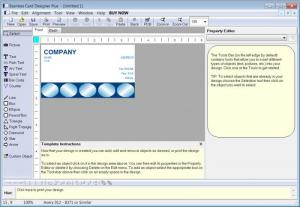
When launched for the first time, Business Card Designer Plus will display a welcome window, from where the user can choose to create a new business card design or open an existing one. Choosing to create a new card will display numerous templates, from which the user can choose the one that fits him most. Every template can have its elements modified thoroughly. The process of creating a new business card is wizard-based and allows anyone to use it. After selecting the desired template, one can move to filling in the information that will be displayed on the card, like his name, occupation, phone number and other such personal information.
In case the user doesn't find a template he likes, he can also create a new one from scratch. Business Card Designer Plus features a lot of tools for building up new designs. As such, the text size and color can be changed and various shapes and objects can be added to the design.
When the business card is done creating, the user can save it as a new template, he can print it directly or he can save it as a regular image file.
Pros
It features numerous card templates that can be thoroughly customized. Besides that, the user can easily create new business cards from scratch. Furthermore, finished business cards can be saved as template files, as image files or can be printed directly.

Cons
The menu system seems a bit overwhelming for an inexperienced user. Business Card Designer Plus is the perfect software for creating outstanding business cards that will attract anyone's attention.

Business Card Designer Plus
12.19.0
Download
Business Card Designer Plus Awards

Business Card Designer Plus Editor’s Review Rating
Business Card Designer Plus has been reviewed by Jerome Johnston on 08 Mar 2012. Based on the user interface, features and complexity, Findmysoft has rated Business Card Designer Plus 4 out of 5 stars, naming it Excellent







